Your all-in-one AI study workspace
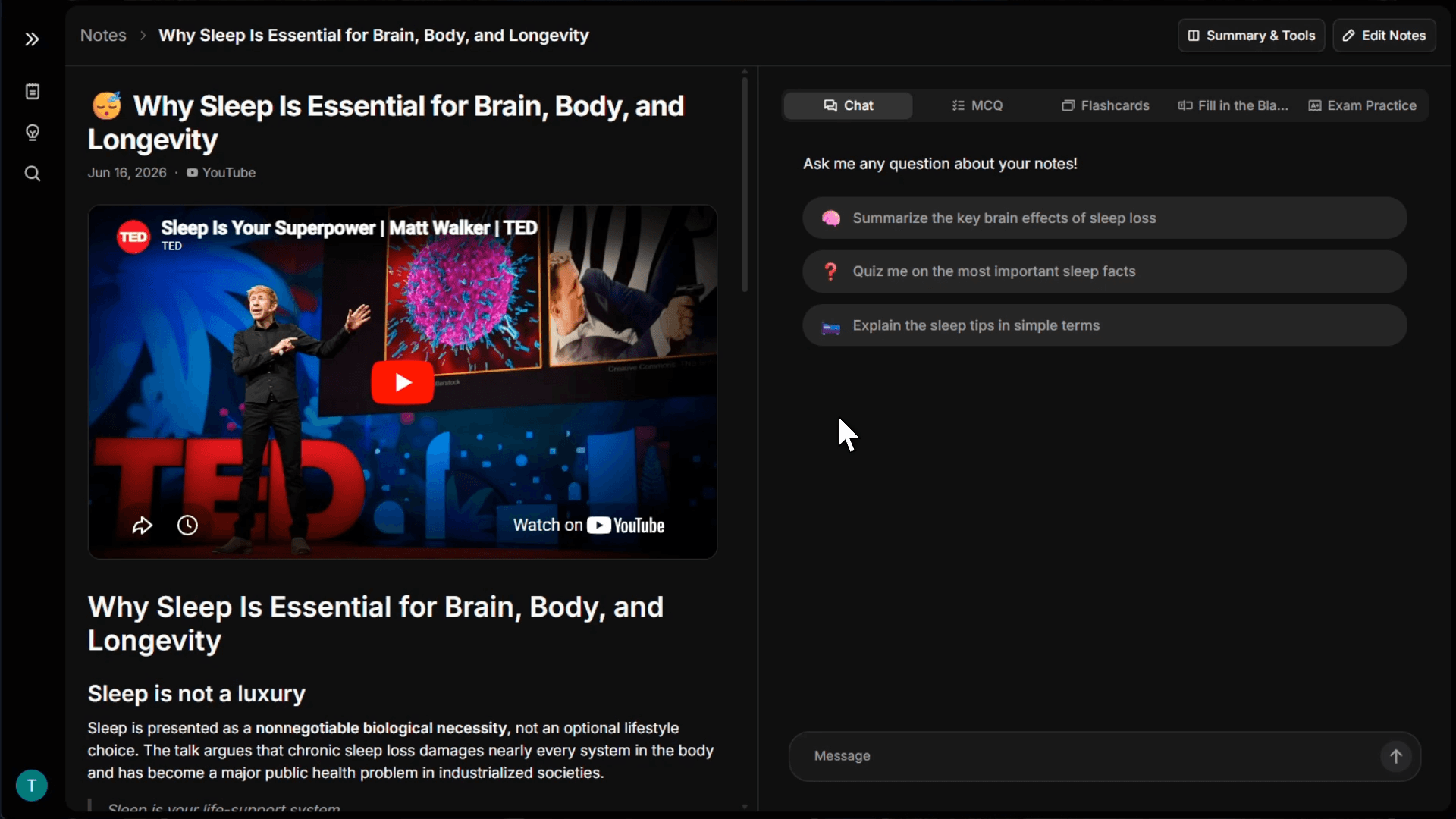
An AI study suite built for real student workflows
Use Kero when you need to understand your material, ask a question, practice for an exam, or check a piece of writing.
Web and mobile when you need them
Review notes, open study sessions, use step-by-step explanations, and check AI detection results from your phone or desktop.
Turn sources into an interactive study base
Upload documents, videos, links, or text and use them as the foundation for summaries, note chat, and practice tools.

Quizzes
Summary
AI Chat
Move from reading to active recall
Create flashcards, multiple-choice questions, fill-in-the-blank questions, and exam prompts when you are ready to test yourself.
Ask, break down, and verify
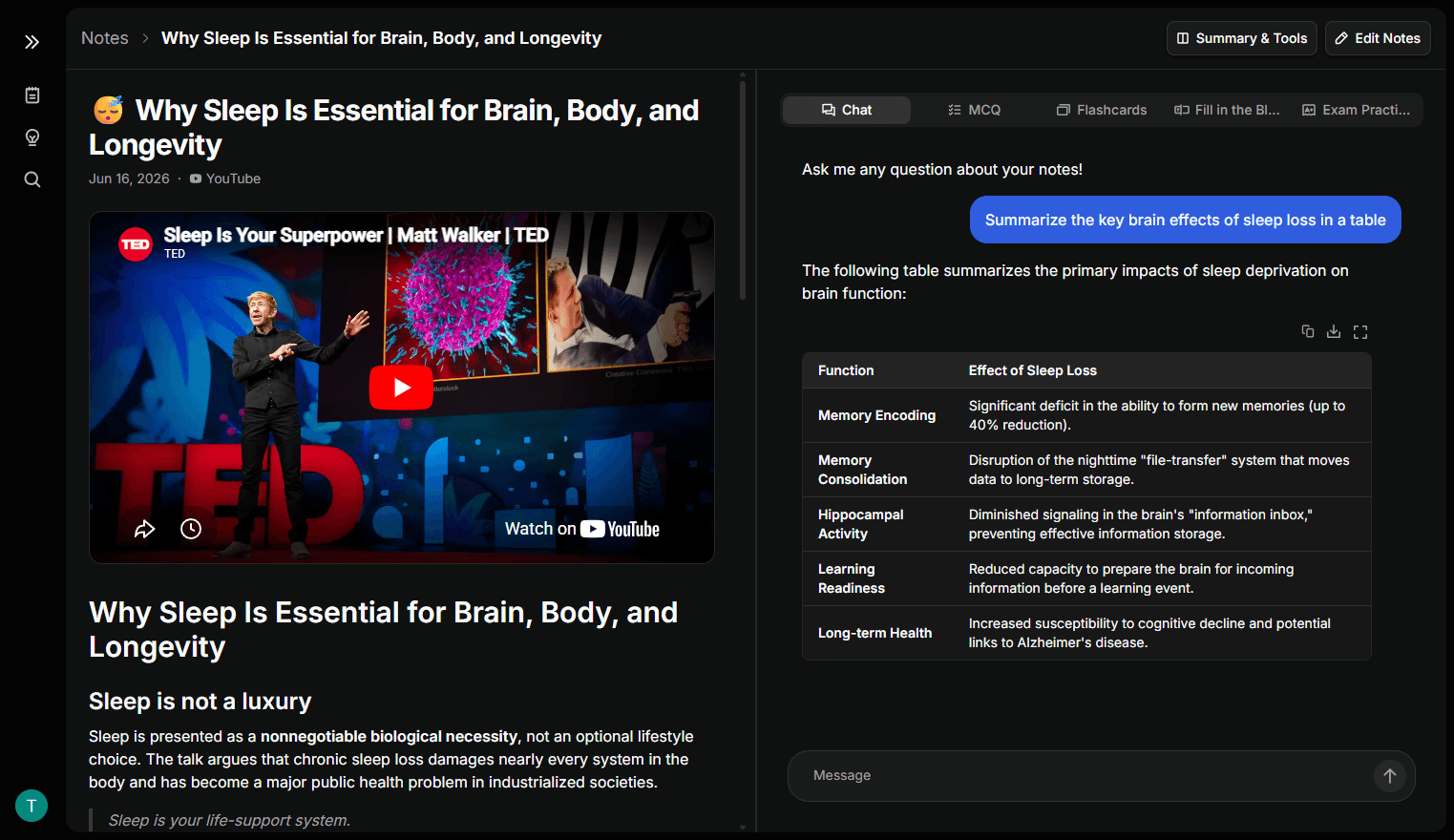
Use note chat for your uploaded material, step-by-step explanations for standalone questions, and AI Check for writing analysis.
What do my notes say about mitochondria?
They generate most of the cell's ATP through oxidative phosphorylation.
Choose the AI tool for the moment
Kero covers the core student workflow: ask your notes, practice with quizzes, understand hard questions, and check writing.
Everything you need for AI-assisted studying
Source-based notes
Create structured notes from documents, videos, websites, or pasted text.
Note chat
Ask questions about uploaded material and keep the conversation tied to your source.
Flashcards
Review important concepts with quick question-and-answer cards.
Multiple-choice quizzes
Practice with multiple-choice questions and explanations for the right answers.
Fill in the blank
Train recall with prompts that ask you to supply the missing idea.
Exam practice
Answer open-ended questions and compare against expected key points.
Explain
Upload a question, prompt, or image and get a detailed step-by-step answer.
AI Check
Analyze pasted text or documents with AI detection and sentence-level signals.